Free PDF tool by Orythex
Merge and edit PDFs without uploading them.
Combine PDFs and images, reorder and split pages, sign, fill forms and redact safely. It all happens in your browser: nothing is sent anywhere. Word and PowerPoint files are coming soon.
- Free
- No account
- No uploads
- Works in any modern browser
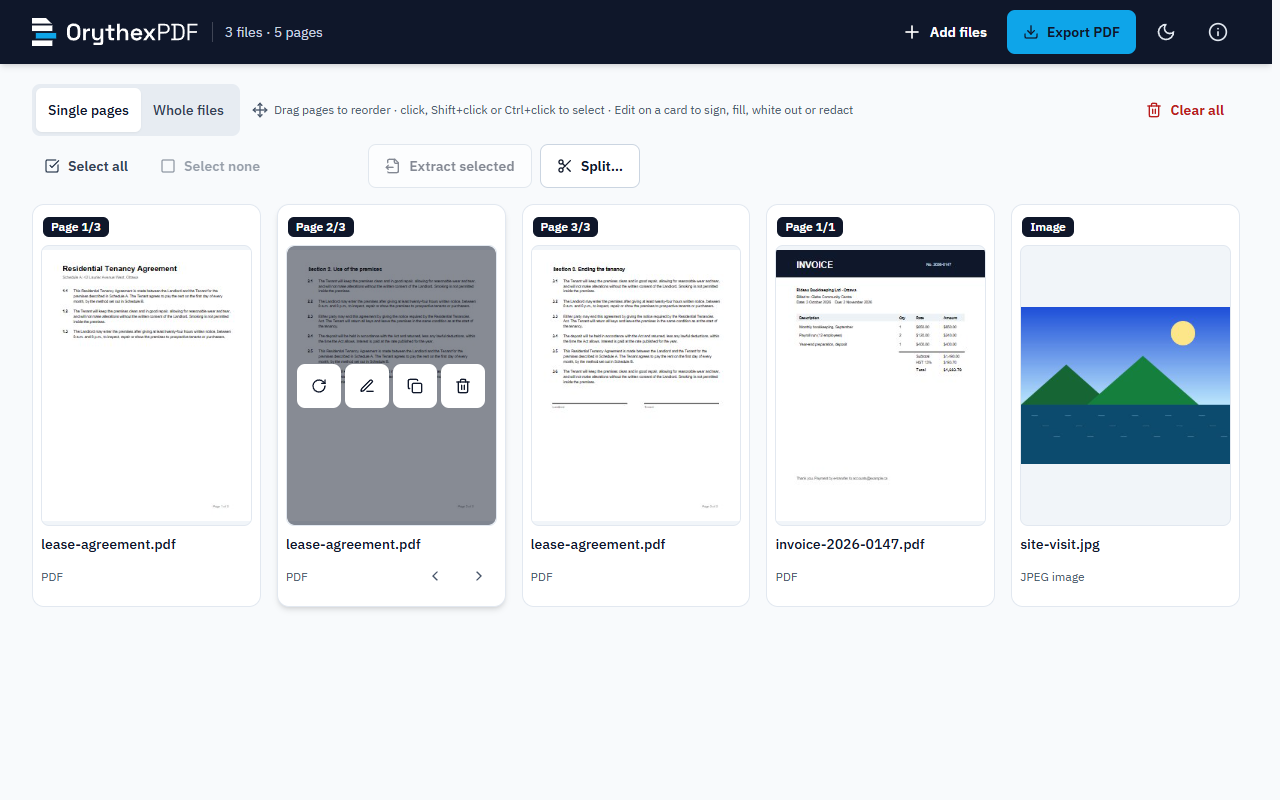
Everything you need for everyday PDFs.
The same careful tool for a one-page form and a two-thousand-page bundle.
-
Merge & split
Combine any number of files, extract the pages you select, or split one document into several, every N pages or by ranges.
-
Sign & fill forms
Draw, type or upload your signature and place it where it belongs. Fill in form fields and keep them editable, or flatten them for good.
-
Safe redaction
Black boxes that really remove what is under them: the page is rendered to pixels, and the title, bookmarks and form values are checked too.
-
Reorder & rotate
Drag pages into order, rotate the ones that came in sideways, duplicate or remove pages, in whole files or one page at a time.
-
Annotate & white out
Draw, add text that stays real searchable text, or cover an area with a white box and type the replacement on top.
-
Watermark & number
Stamp a watermark across every page and add "Page X of Y", in any language the font covers, including Yoruba and Igbo.
-
Images to PDF
Add JPG, PNG and WEBP photos or scans as pages, keep their size or fit them to A4, and export one tidy PDF.
-
Word & PowerPoint Coming soon
.docx and .pptx files converted to PDF on your own device, then handled like any other page. For now, save them as PDF first.
Three steps. No upload bar.
-
Add
Drop PDFs and images onto the page, or pick them with Browse. They open right there in your browser.
-
Arrange
Drag pages into order, rotate, select, edit: sign, fill, white out, redact, draw or type.
-
Export
Choose the page size, a watermark and page numbers, preview page one, and save the PDF (or several) to your computer.
Private by design
Your documents never leave your computer.
-
Nothing is uploaded
The page is forbidden, by its own security policy, from making any network connection. Files are read, edited and written entirely on your device.
-
No account or history
Your files never leave your device: OrythexPDF opens, edits and saves them inside your browser. There are no accounts, no analytics, no advertising and no tracking cookies. Close the tab and it is gone.
-
Open and proven foundations
Built on pdf.js by Mozilla and pdf-lib, both open source and widely used. Every library is bundled, pinned and checked, never loaded from a third party.
Made for paperwork you'd rather not upload.
Contracts and leases
Merge the schedules, sign, and send one clean file.
HR and payroll records
Split a bundle into one file per person, redact what others must not see.
Applications and forms
Fill the fields, attach the scans, number the pages.
Church and charity records
Minutes, receipts and member lists, kept on the one computer they belong on.
Need software built for your organisation?
OrythexPDF is a sample of how Orythex Inc builds things: careful, secure and tested, with the privacy promise written into the code. We build custom software for organisations in Ottawa and beyond.
Questions people ask.
Is OrythexPDF free?
Yes, completely. No trial, no page limits, no account. Orythex Inc built it to show the kind of software we make, and it stays free.
Are my files uploaded anywhere?
No. Everything runs inside your browser on your own computer. The page's security policy forbids it from connecting to any server at all, so even a bug could not send your files anywhere. You can check this yourself in your browser's developer tools: the network panel stays empty while you work. Your files never leave your device: OrythexPDF opens, edits and saves them inside your browser. There are no accounts, no analytics, no advertising and no tracking cookies.
Which files can I add?
PDF, JPG, PNG and WEBP files, up to 200 MB each and 3,000 pages in total. Password-protected PDFs are refused with a note on what to do. Word (.docx) and PowerPoint (.pptx) support is coming soon; until then, save those as PDF first.
Do I need the Windows app?
No. The browser version has every feature. A Windows app from the Microsoft Store is coming soon: the same tool, working offline, with Word and PowerPoint conversion on your own PC.